Community Setup Wizard: Map Your Entire Property Before a Single Resident Walks In
July 8, 2026 · by igloo
The Community Setup Wizard in iglooworks PM Mode
Here is a question worth sitting with for a moment.
When a new resident moves into one of your units, how confident are you that every door they should access is correctly configured, consistently named, and properly mapped to the right hardware before they ever tap their phone to unlock it?
If the honest answer involves any amount of "we figure it out as we go," "someone on the team handles that," or "it depends on who is working that day": this article is for you.
The Community Setup Wizard in iglooworks PM Mode exists because every access management problem in a residential property traces back to the same root cause: the system does not actually know what your property looks like. And when the system does not know your property, neither does anyone else who depends on it.
The structural problem most property managers inherit
Common challenges in property management include navigating the complexity of tasks, ensuring consistency across diverse property portfolios, and addressing legal and safety considerations. These are not abstract operational concerns. They show up concretely when a new resident cannot access the gym because the access point was named differently on the dashboard than it is on the floor plan. They show up when a contractor is issued a PIN for the wrong building entrance because nobody standardized the naming convention. They show up when onboarding a new resident takes three times longer than it should because the property structure only exists in someone's head.
The first 30 days of a lease are the most financially significant stretch of the entire resident relationship. Residents scoring 9 to 10 on Net Promoter Score renew at 70 to 80 percent versus under 30 percent for those scoring 0 to 6, and satisfaction is set in the first 30 days. That window starts on move-in day. And move-in day is directly shaped by whether your access infrastructure was correctly built before anyone arrived. Moved
The Community Setup Wizard is how iglooworks PM Mode solves this at the foundation.
What the wizard actually does and why the order matters
 The Community Setup Wizard is the mandatory first step in PM Mode. No door groups, no access presets, no resident profiles, no credential issuance can be configured until the property canvas is complete. That is not a software limitation. That is a deliberate architectural decision that prevents every downstream configuration error caused by building on an incomplete foundation.
Here is what you build inside the wizard and in what order:
At the top level sits your community: the property name, location, and overarching structure.
Beneath that are buildings. Each building contains units and building-specific access points such as the main entrance, clubhouse, or laundry room.
Above the building level, community-wide access points: the outdoor pool, the main lobby, the package room, are defined separately and shared across all buildings.
Every single access point gets a name that your team chose, in the language your team uses. Not "EK2abc123." Not "Device ID: MP1F-c2AaP1." Names like "North West Lobby," "Pool Gate — South Building," and "Gym Entrance."
That naming carries through every screen in the platform: every credential issued, every activity log entry, every hardware status update. What you name it in the wizard is what your team sees across every touchpoint, every day.
Bulk unit generation: the feature that saves more time than it looks like it will
For any property manager who has manually entered unit numbers one by one into a system, the bulk unit generation feature inside the Community Setup Wizard deserves its own moment.
Set a prefix. Set a separator. Set a starting number and a total count. Preview the result. Generate. An entire building's worth of units: say, Premium-101 through Premium-172 created, named consistently, and ready for hardware mapping and resident assignment in a single action.
Automation creates consistency, and consistency builds trust. Residents know exactly what to do and when. The same principle applies before a resident ever sets foot in the building. When units are named and structured consistently from the start, every process that follows: access preset assignment, credential issuance, activity log review, runs cleanly because the foundation it is built on is clean. Manifest
How hardware gets connected to the canvas
Once the community canvas is built in the dashboard, the iglooworks app handles the physical side of the equation. Staff pair locks to the community via Bluetooth on the ground and map each device to its named access point. The dashboard reflects the mapped state in real time.
Access points that have no hardware assigned are clearly flagged. There is no silent gap, no assumption that something is paired when it is not. The wizard and the app work in parallel: structure is defined from the dashboard, hardware is confirmed through the app, and the two meet in a single accurate picture of what is live, what is pending, and what still needs attention.
The first 30 days a resident spends in their community often define their long-term satisfaction. Automation and digital tools can help ensure a smooth onboarding process. That smooth onboarding does not start when the resident walks in. It starts when the property is correctly configured to receive them. The Liberty Group
Why getting the structure right first is the highest-leverage thing you can do
It is tempting to treat property setup as the unglamorous administrative step before the interesting work begins. That framing is exactly backwards.
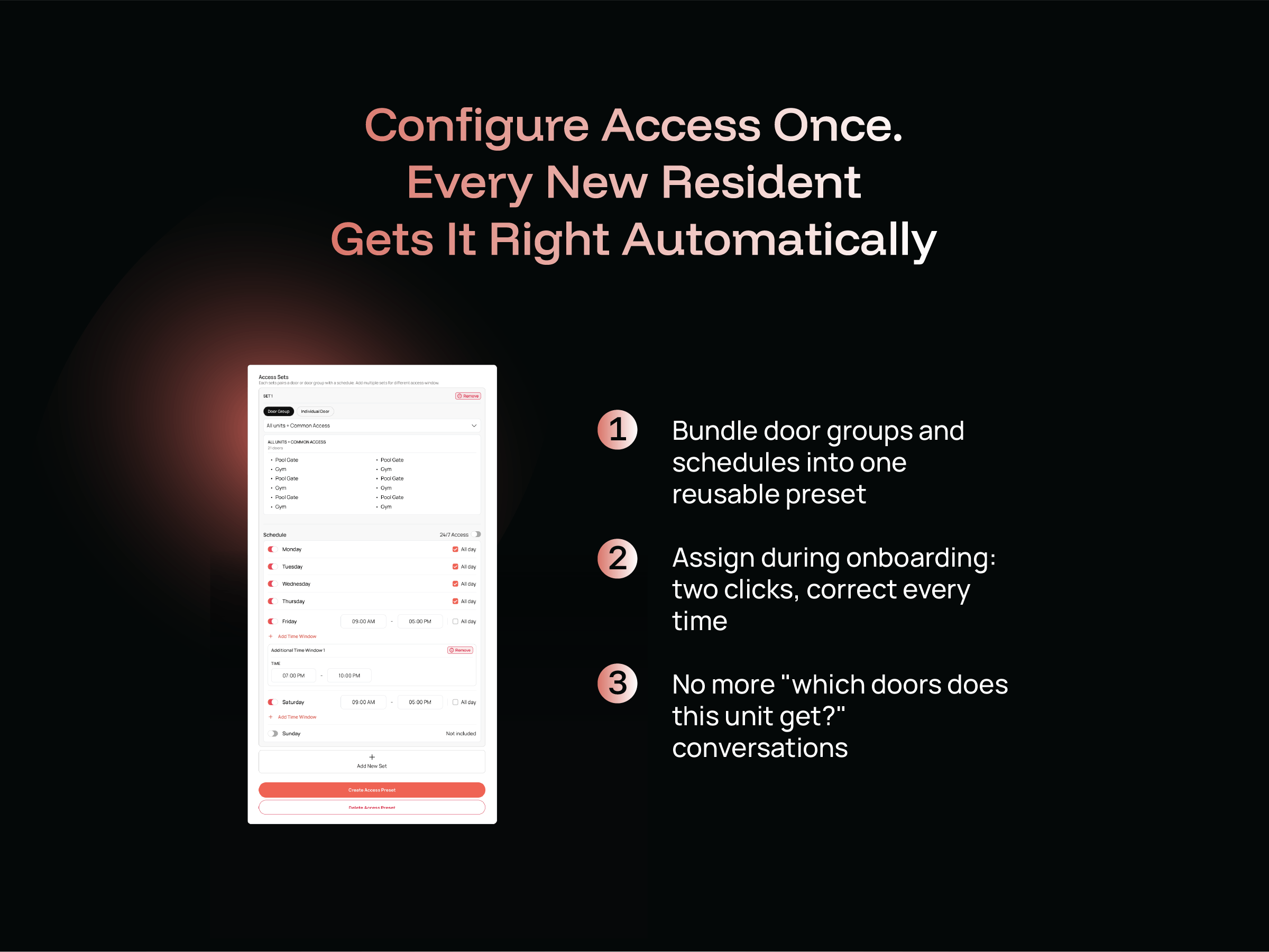
Property management onboarding is harder than most service businesses realise. A single rental property might require multiple documents, tenant contact information, access codes, and property condition details. Multiply that by the number of units and you are looking at 20 to 50 individual items per owner. At a multi-building residential community with 100 or 200 units, that complexity compounds rapidly. Every access preset you build, every Wallet Pass you issue, every visitor PIN you create, all of it references the access points and units you define in the Community Setup Wizard. If those references are wrong, inconsistent, or missing, the downstream errors are not isolated. They ripple.
Get the canvas right and everything that follows: Access Presets, Wallet Pass credentials, visitor management, hardware visibility, runs on a foundation that actually reflects your property. Get it wrong and you are managing exceptions for the life of the account.
The Community Setup Wizard is not the feature anyone talks about first. It is the reason every other feature works.
Ready to build your property canvas?
iglooworks PM Mode is live. The Community Setup Wizard is the first step and it is designed to be completed before a single resident is onboarded, before a single credential is issued, before move-in day creates any pressure to rush it.
Map your property the way your team actually talks about it. Name your access points in plain language. Generate your unit lists in one action. Then let everything else in PM Mode build correctly on top of it.